NAFC Test Engine

PCBA + Final Acceptance Testing (USB/Serial & Ethernet)

Manufacturing Testing, Re-Engineered for Production

Platform-independent automated test platform built for PCBA and final acceptance testing

From NAFC Tech Solutions — specialists in manufacturing test automation

NAFC Tech Solutions introduces a modern, platform-independent automated test engine designed specifically for production environments. The system removes the need for custom software development, accelerates test script creation, and provides integrated, password-protected maintenance tools for controlled updates on the factory floor.

By replacing heavy, expensive LabVIEW-based test stacks with a lightweight, structured, reusable test runner, NAFC Test Engine enables faster deployment, simpler long-term maintenance, and consistent operator execution. Optional ISO 9001 and ISO 13485 validation scripts and protocols support compliance with regulated manufacturing and medical-device quality systems.

Configuration-based authoring. Controlled maintenance. Built for regulated production.
Operator-friendly
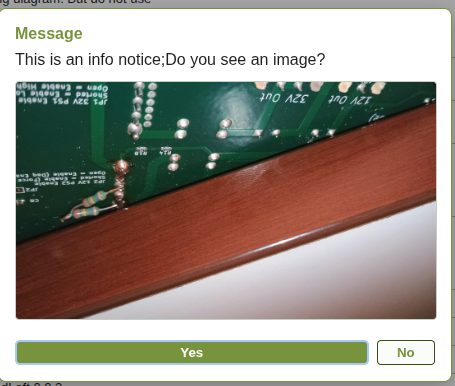
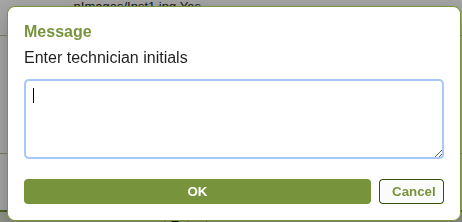
Prompts, alerts, and instruction dialogs with images, plus a clear pass/fail banner and tones.
Device-flexible
USB/Serial with auto-find, Ethernet/HTTP/raw TCP, and Windows DLL adapters.
Scriptable logic
Math, swaps, cascades, branching, jumps, delays, and inline reports—no programming background needed.
Manufacturing-ready
Log filtering, stop-on-fail, single-step run for troubleshooting, and report generation.

Core capabilities

Script table model

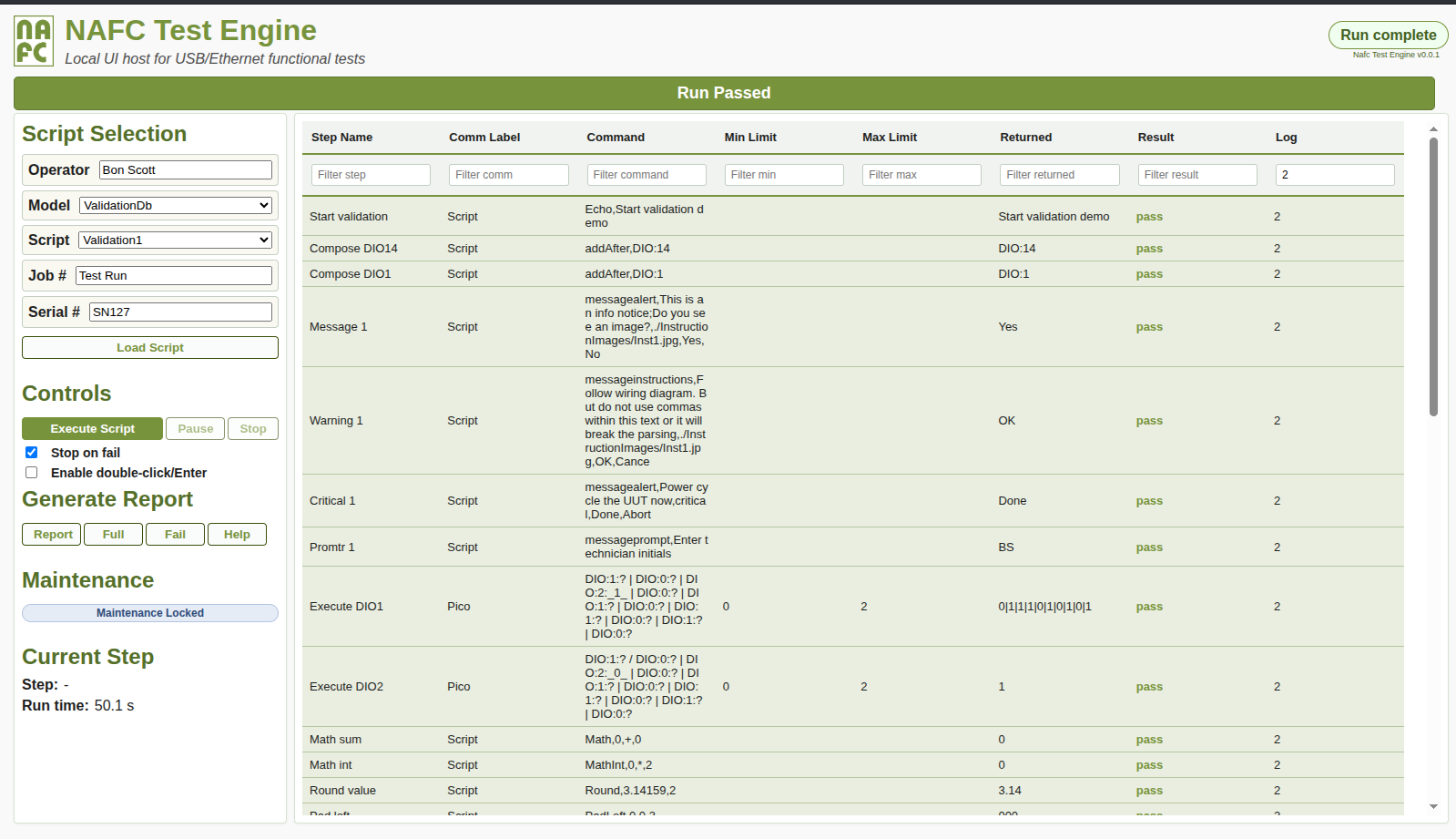
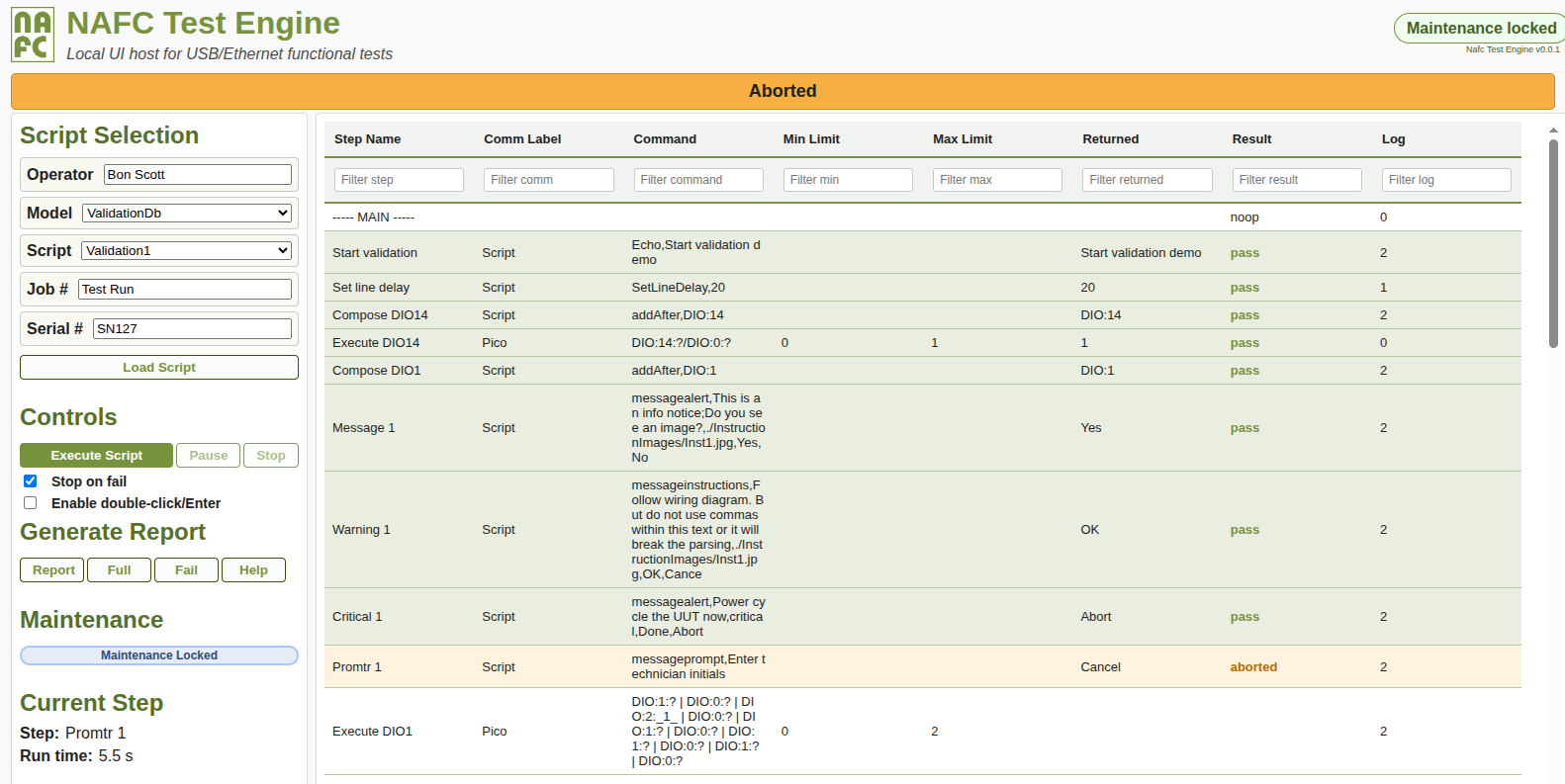
Step Name + Comm Label + Command + Min/Max + Returned + Result + Log. Filters per column; “noop” rows are supported for headers/separators. Log levels drive visibility and report inclusion.

Variable swaps

<Step Name> swaps to Returned values and [Step Name] swaps to pass/fail/aborted results for conditional flow and re-use.

Cascaded commands

Chain commands with | or /; reference earlier cascade results using _index_.

Operator dialogs

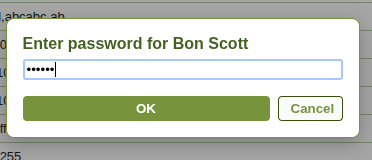
Alerts, prompts, and instruction dialogs with optional images for wiring, setup, and checkpoints. Maintenance lock keeps editing restricted.

Maintenance editing

Unlock to reorder steps, duplicate, delete, drag/drop, and run single steps (troubleshoot mode). Save scripts directly to JSON or SQLite sources.

Device adapters

Serial (COM/USB), Ethernet GET/POST + raw payload, and Windows DLL integration for vendor APIs. Auto-find profiles help bind to the right device.

Device profiles (Comm Labels)
Define a device once using JSON in the Comm Label (protocol, baud/host/port, autoFind), then reference it later by label only (serial or Ethernet). First use provides full details; subsequent steps reuse the label. Case-sensitive (e.g., Pico != pico).
Limits and result evaluation
Returned values are evaluated against Min/Max; numeric values use numeric comparison, otherwise lexicographic. Result is one of: empty / pass / fail / aborted. Optional stop-on-fail halts on the first failing step.
Reports and logging behavior
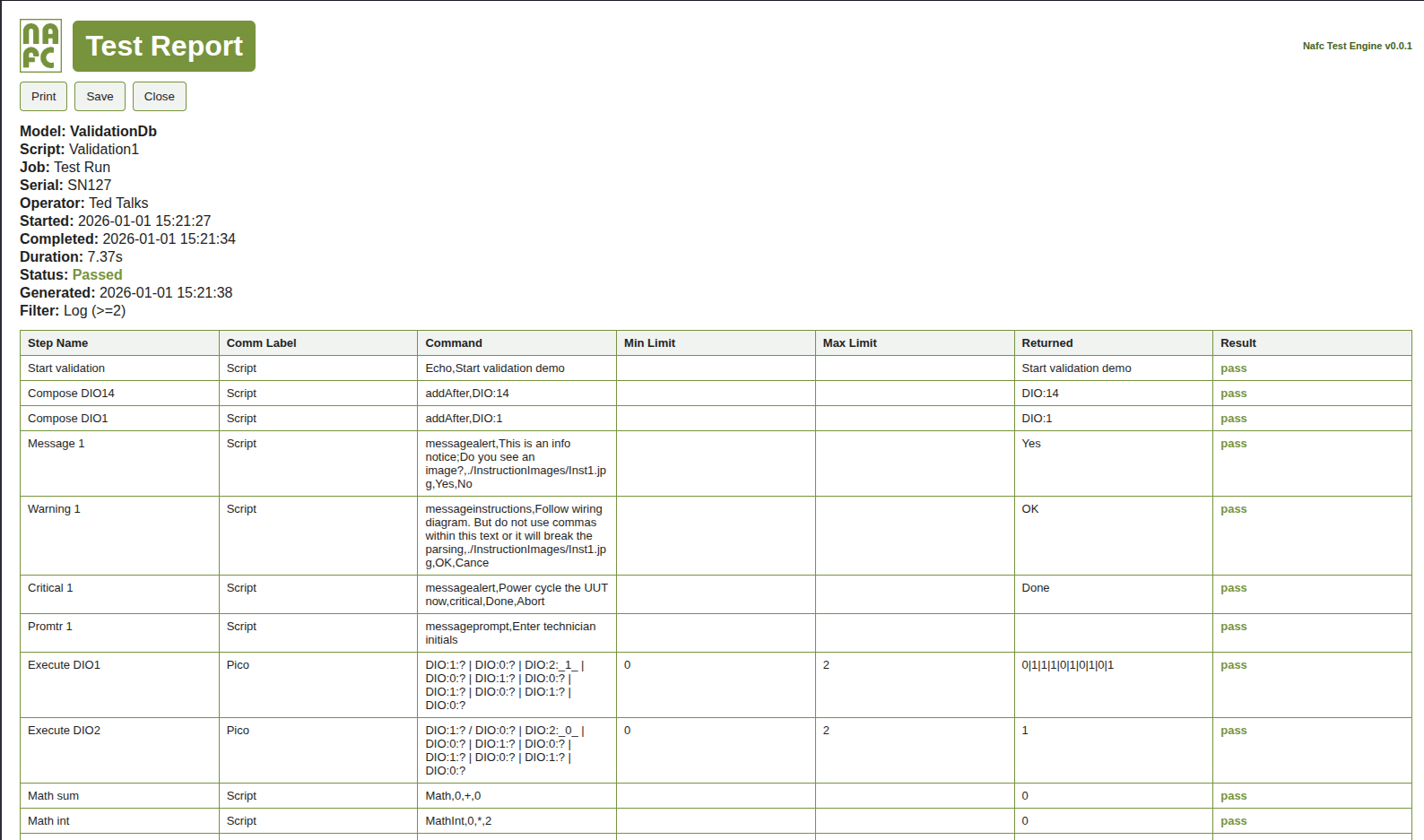
Log level controls visibility and report inclusion. Reports can be generated as Log/Full/Fail, and overall status locks at EndScript while post-EndScript steps can run for auto-save/print or additional logging.
Steps for setup or control that are not interesting to the operator have the log value of 0. These steps are executed, but not logged or displayed unless a failure occurs.
Steps with a log value of 1 are executed and logged, and like 0, are hidden from the operator.
Steps with a log level of 2 are displayed to the user and included in the default report.

Execution workflow (high level)

Operator flow
  • Select Model / Script, enter Job + Serial, then Run.
  • Engine executes each step: sends commands, captures Returned, evaluates Min/Max, updates Result.
  • Dialogs appear when required (instructions with images, confirmations, prompts).
  • Stop on fail halts on first failing limit if enabled; manual single-step is available in troubleshoot mode.
  • EndScript locks the overall status; post-EndScript actions can continue for logging/reporting.
Backend / dispatch (summary)
  • UI iterates steps and posts execution requests to the backend.
  • Comm Label resolves to protocol adapter: Script / Serial / Ethernet / DLL.
  • Cascaded commands execute in order; _index_ placeholders reuse prior results.
  • Runs are logged (SQLite + JSON), and reports can be generated by filter (Log/Full/Fail).
See the help page for more command reference details (swaps, cascades, device JSON profiles, limits, dialogs, and reports).

Fixtures (PCBA + Final Acceptance)

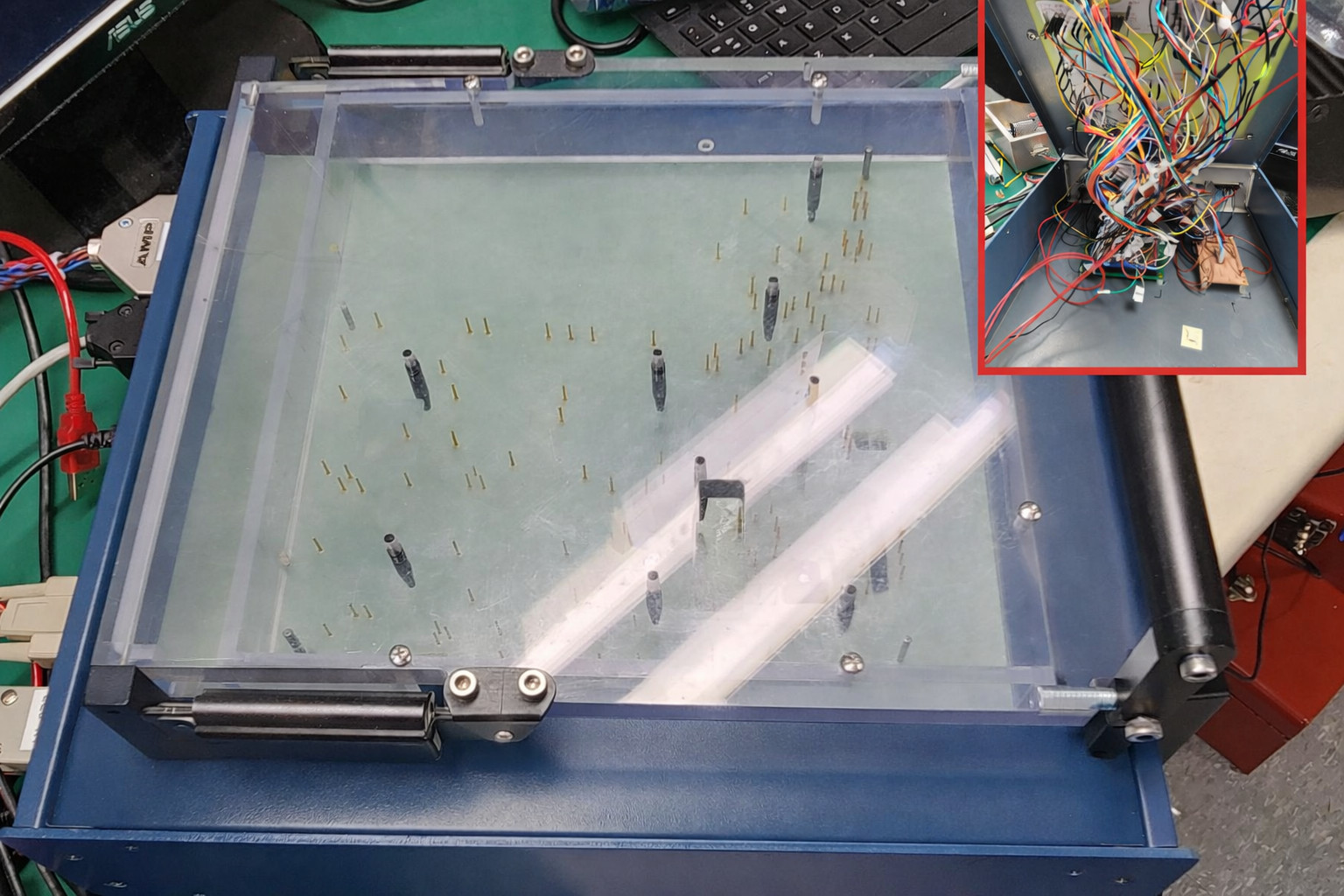
Legacy fixture wire-heavy
Legacy fixture with dense wiring harness

Observed pain points

  • “Rat’s nest” wiring inside the enclosure: hard to service, fragile connections, noisy signals.
  • Limited strain relief and labeling, so rework and changeovers were slow.
  • Board access is awkward; setup depends on tribal knowledge.
  • Low repeatability between stations and higher false-fail risk.
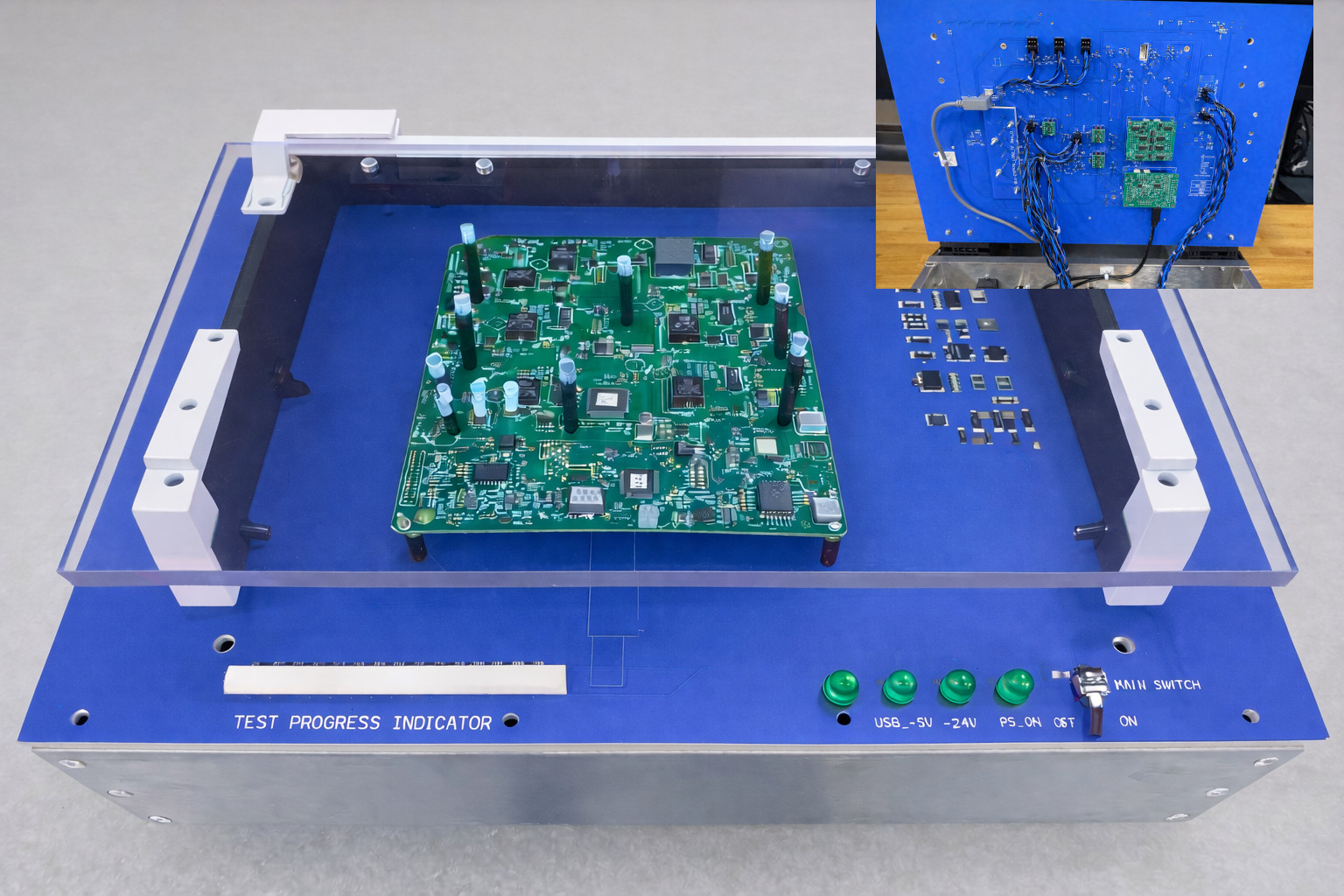
NAFC fixture (current) robust + serviceable
Current NAFC fixture with clean harnessing and LED indicators

Advantages

  • Internal harnessing is short, labeled, and strain-relieved—no loose bundles, far less noise pickup.
  • Purpose-built internal PCBs replace point-to-point wiring, improving robustness and repeatability.
  • Clear operator indicators (progress bar, status LEDs) and accessible board area for probing.
  • Faster changeover and maintenance; boards and connectors are easy to reach and replace.
Where fixtures fit in the Test Engine
  • Use messageinstructions for wiring / setup steps with photos.
  • Use messageprompt for technician initials, workcell, or confirmation inputs.
  • Keep log levels clean: operator-visible steps at Log=2; background steps at Log=0/1.
  • Leverage reusable Comm Labels for instruments/UUTs so scripts stay concise and repeatable.

Screens and operator dialogs

Integration notes (USB, Serial, Ethernet)

USB/Serial / COM devices
  • If the vendor driver exposes a COM port (virtual serial), it works directly via the serial protocol.
  • Use auto-find profiles to locate the correct device by sending an ID command and matching expected text.
  • Use fire: prefix when you need send-only commands with no response wait.
Ethernet devices
  • Supports GET/POST and raw payload styles (host/port in the profile, path in the command).
  • Prefer IPv4 endpoints for consistent resolution behavior.
  • Use standardized step naming and swaps for reusable test blocks.
Contact / Demo

Ready to change how you perform final verification and acceptance testing?
Contact Ali Khajeheian at alik@nafctechsolutions.com or 416-902-0054.